


Many PC players will find that Marvel Rivals is incredibly demanding on their system's performance, oftentimes causing major error codes to appear. To fix these issues, you may have to adjust some settings on your device or within the game itself. Thankfully, there are multiple solutions for the most common error codes that have been causing trouble for PC players.
Season 1 of Marvel Rivals has seen multiple performance settings adjusted, such as the option to disable mouse acceleration. One of the most common ways to get the game to run better on PC is to lower your graphics settings in the game's Display settings. New choices like the disabling of Global Illumination will reduce the overall performance strain your PC has to endure.
What Are The Most Common Errors In Marvel Rivals?
Stuck At Loading Or Troubled Connections


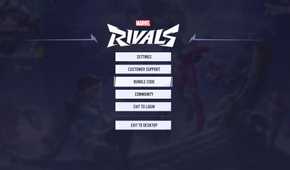
Plenty of different errors on the PC version of Marvel Rivals can cause the game to lag, stutter, or even crash completely. Some of the most common errors you may run into on PC include:
- 99% Loading Bug
- Packet Loss Error
- DX12 Not Supported
- Error Code 10
- Error Code 4
- Error Code 220
- Error Code 211
- Error Code 258
Another couple of common errors include Error Code LS-0014 and Error Code 21. However, the former is only tied to those having trouble verifying game file downloads from the Epic Games Store, while the latter is tied to router issues on Xbox consoles.
Some issues, like the 99% Loading Bug, can prevent you from getting into matches for a ridiculous amount of time. Other errors will cause your game to not work at all, either dropping your framerate or crashing in the worst-case scenarios. Even if you have the best kind of graphics card, CPU, or motherboard installed, you may still experience at least one of these errors at some point.
Before looking for specific solutions to any of these problems, make sure your game files aren't corrupted. For those playing on Steam, Steam has easy ways for you to verify the download of game files to make sure none are corrupted. Don't be afraid to uninstall and reinstall the game to be sure that nothing goes wrong with how your system internalizes Marvel Rivals' many folders of data.
How To Fix Common Error Codes
Adjust Your Settings To Fix Performance Issues

One of the best strategies for fixing multiple error codes is to close all background apps and functions while playing. It's easier to run all the features of Marvel Rivals on one monitor without anything else skyrocketing your PC's CPU or Memory. One or two apps might be fine, but having tons of browser tabs open could cause the game to crash frequently.
Don't forget to check the minimal system requirements of Marvel Rivals if you're having performance issues. There's always a chance that your graphics card or other internal systems simply cannot run the game well enough for it to work.
For all the various PC errors that could take place, here are some possible solutions for the most common ones:
|
Error |
Description |
How To Fix |
|---|---|---|
|
99% Loading Bug |
Your game gets stuck loading into a match at 99%, taking a very long time to get into a game. |
|
|
Packet Loss Error |
High latency spikes cause your game to packet loss and have extremely high ping during matches. |
|
|
DX12 Not Supported |
The game simply will not work due to an arbitrary error connected to system requirements. This issue has been confirmed to be linked to Windows update issues and the status of your PC GPU driver. |
|
|
Error Code 10 |
An error code that appears whenever you try to launch Marvel Rivals. This issue is rooted in network problems related to the state of your internet connection. |
|
|
Error |
Description |
How To Fix |
|---|---|---|
|
Error Code 4 |
While mainly a PlayStation error, this could show up on PC as well. This error is listed as "unknown," but it does have some solutions tied to internet fixes. |
|
|
Error Code 220 |
This error code refers to failures to connect to matches or the game itself when you try to play. It is tied to automatic server blocks when you try to connect to Marvel Rivals. |
|
|
Error Code 211 |
This error code is tied to Steam players of Marvel Rivals, causing blocked access to the game when you try to launch it. This may be tied to connection, server, or privacy issues. |
|
|
Error Code 258 |
This error code appears when you fail to log into the game through its launcher. There doesn't seem to be an exact cause for this issue, but large player traffic may be responsible. |
|
There are more issues beyond the ones listed, but many solutions for some can be applied to others. If you are still having problems after applying these fixes, try to place a cap on your FPS, lower your graphics settings, and disable any functions that could demand higher performance. While you may not have an exact solution to every Marvel Rivals error code, you can find other ways to get the game to work consistently.


Marvel Rivals

-
 OpenCritic Reviews
- Top Critic Avg: 78/100 Critics Rec: 84%
- Released
- December 6, 2024
- ESRB
- T For Teen // Violence
- Developer(s)
- NetEase Games
- Publisher(s)
- NetEase Games
- Engine
- Unreal Engine 5




- Multiplayer
- Online Multiplayer, Online Co-Op
- Franchise
- Marvel
- Platform(s)
- PlayStation 5, Xbox Series X, Xbox Series S, PC
- Genre(s)
- Third-Person Shooter, Action, Multiplayer

