


The always-on display is one of the many features available with the Pixel 7, but Google calls it something different, which might confuse some users. The simple yet useful feature has been around for a long time but had to go through multiple iterations before it became a standard feature across most Android devices, and recently, on the iPhone 14 Pro and iPhone 14 Pro Max. The first instance of an always-on display dates back to 2009, with the Nokia N86 showing users the time on the display, even when it was locked. Later, Motorola took the concept and released it as Active Display in 2013, making it the first Android phone to sport the feature.
The Google Pixel 7 has an always-on display that's enabled by turning on the 'Always show time and info' setting. To find it, go to the 'Settings' app and tap 'Display.' Select Lock Screen, and under 'When to show,' toggle on 'Always show time and info.' The phone will now show the time, day, date, weather, battery info and app notification tiles when the phone is locked. However, that is the extent of information users can see when the always-on display is active on the Google Pixel 7. Users can turn off the feature by going to the same Display settings page and toggling off 'Always show time and info.'
Always-On Display Doesn't Show Many Details
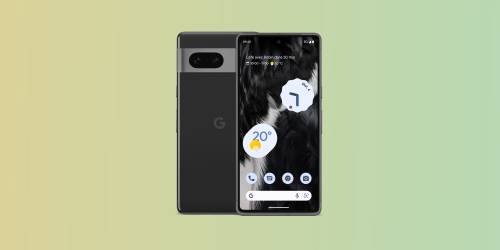
Enabling the always-on display allows users to check the time or date without unlocking or waking up their Pixel 7. However, it does cause a little more battery drain. If battery life is a concern, it might be best to disable the feature. If users wish to see more info, they'll have to wake up the display by either tapping on it, lifting their Pixel 7, or pressing the power button to see any additional info on the lock screen. Depending on the privacy settings, the Pixel 7 either shows notifications on the lock screen or asks users to unlock their phones to view them.
There are ways to temporarily disable the always-on display so users can conserve battery at times without needing to manually turn the feature off just to turn it on again later. When Battery Saver is turned on, for example, the always-on display will become inactive. Users can set Battery Saver to run on a schedule to kick on at specific times of day, or when their battery reaches a designated percentage. It can also be set to turn off again once the phone is charged, so the always-on display and other features will be enabled again.
Google unveiled the Pixel 7 and the Pixel 7 Pro during the Made by Google event held on Oct. 6, 2022. Both phones support an always-on display and other software and hardware features, but the screen size and camera configuration differentiate them. The Pro earns its moniker with a larger display with a higher resolution and faster refresh rate and adds a telephoto camera to enhance its photography capabilities. Google also revealed other devices at the Pixel 7 launch event, including the Pixel Buds Pro with active noise cancelation and decent battery life, and the Google Pixel Watch with Fitbit's health tracking capabilities and a minimal design.
Source: Google
