


The Sims 4 is kept fresh year in and year out, by not only allowing you to purchase expansion packs, but also regularly adding free content through updates. This unique method of providing new content allows you to continually enhance your virtual life. These regular updates allow you to upgrade your game without paying a dime.
On top of all the objects and items you're given in the base game, there's a way to access even more content through the debug menu. Considering the fact this is a life-like simulation, it only makes sense for there to be a way for you to give your Sims more than the standard. The key, however, is knowing the cheat codes that allow you to access the debug menu.
Accessing Debug Items Menu
The Only Way Is To Cheat

There are a couple cheat codes you'll need so you can access the debug menu. Most of the items on this menu are free, aside from a few of the objects, so you don't have to worry about having the funds to spend on them. The few debug items that do cost money can be fairly expensive, and you could either cheat your way into money or find a way to get rich without cheats. The device you're using to play the game determines how you access the cheat menu.
- PC: Hold CTRL + Shift + C
- Console: Hold all four of the triggers
- Mac: Hold COMMAND + Shift + C
After you open the cheat menu, type in "testingcheats true" to activate cheats. To unlock debug items, there will be two commands. The first one that unlocks the menu when you are in the build or buy menu is bb.showHiddenObjects. For more hidden objects, type in bb.showLiveEditObjects. If you change towns you will have to reactivate the cheats.
When you are in the build or buy mode, type debug into the search bar to show all the debug items. It should be noted that you won't receive confirmation after putting in these codes, but if the debug items aren't showing up, double-check that you spelled everything correctly.
Items Included In The Debug
Mostly For Decoration Not Interaction



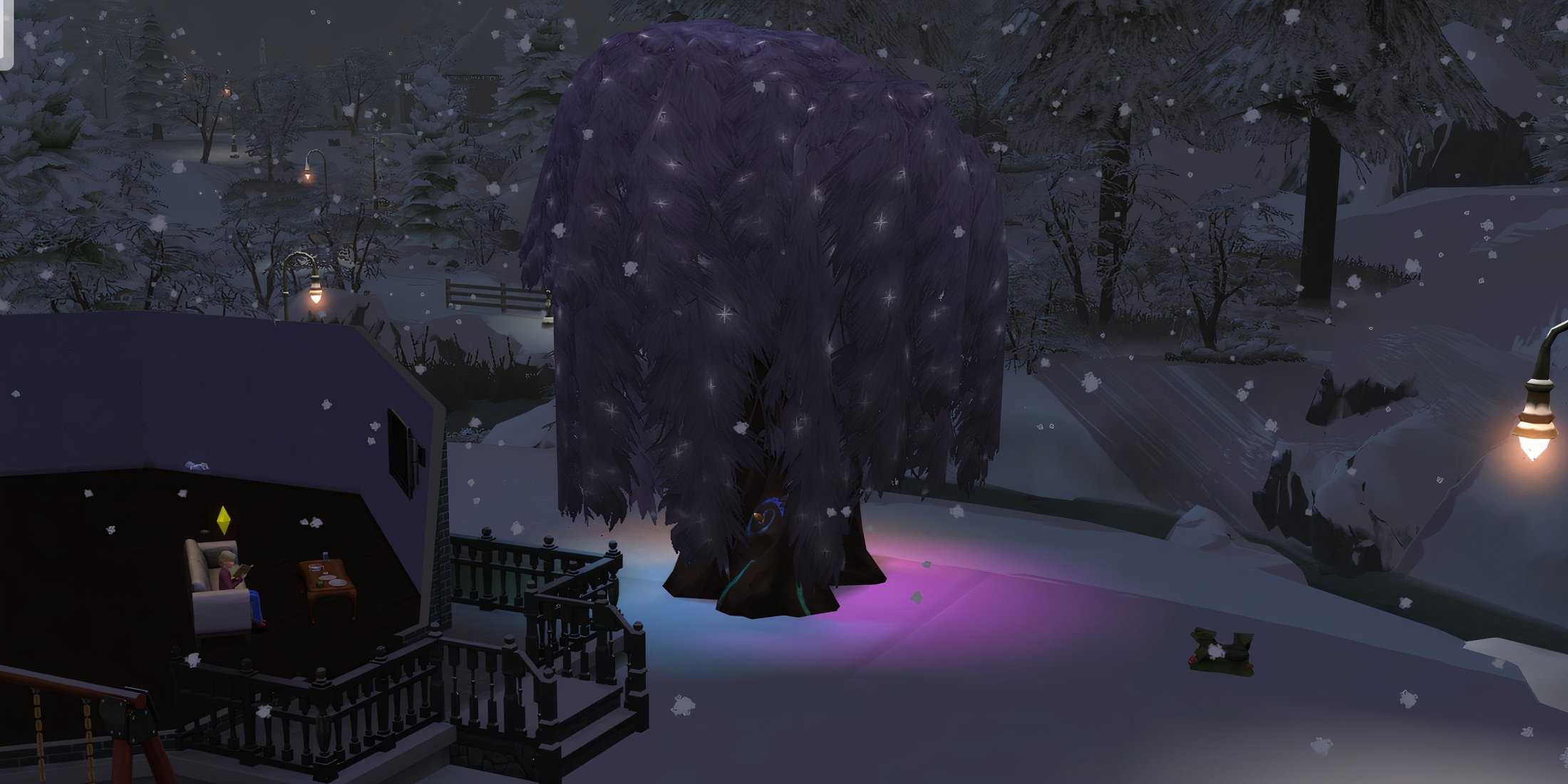
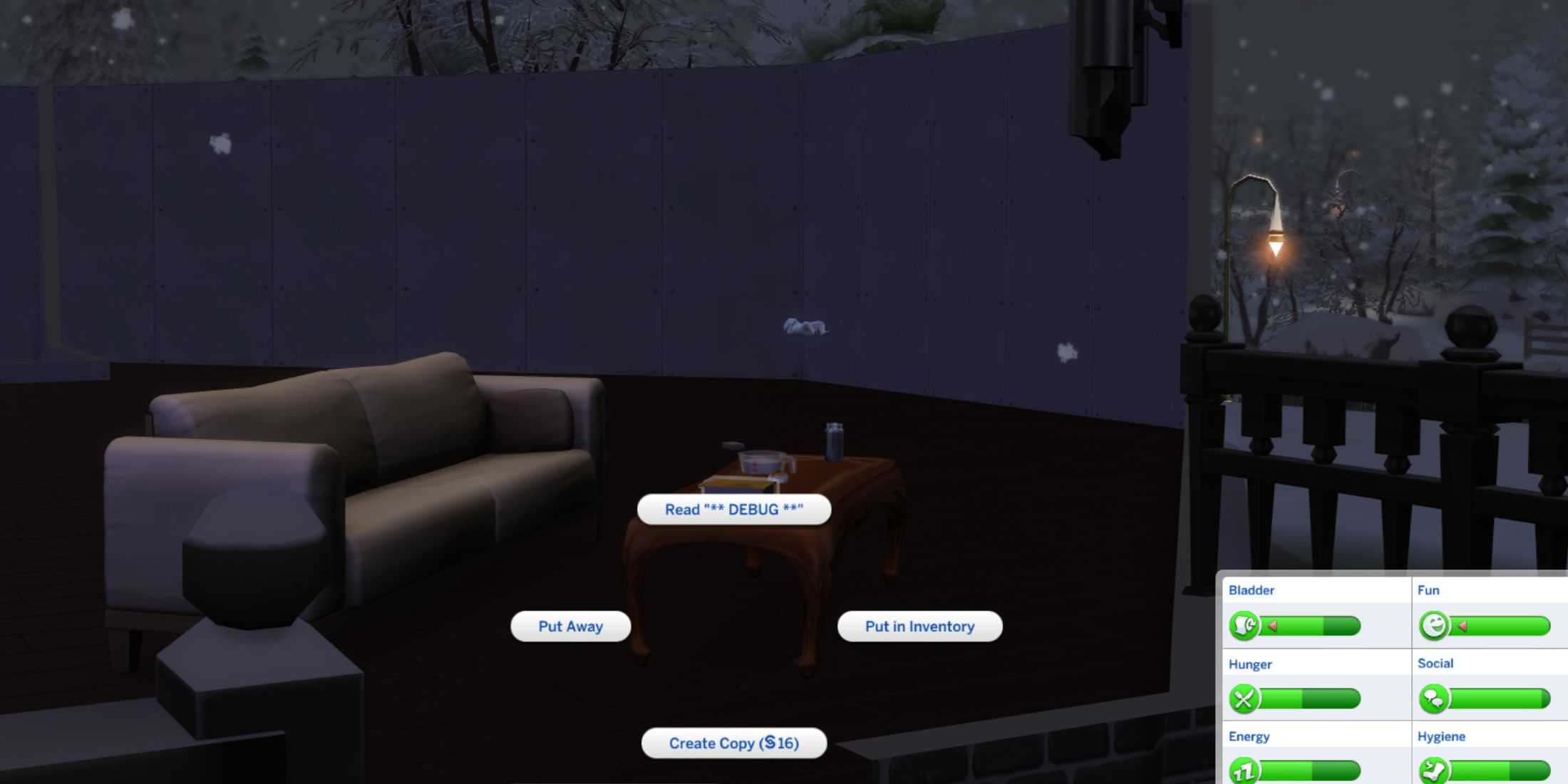



There are dozens of objects available in the debug menu. When you type in "debug" in the search bar, you may notice there are several options all with the same name. As you click on each one, there will be different objects in each selection with some overlap in the items. Unfortunately, the actual name of each item doesn't appear as every item's name is "Debug".
Aside from some books that are around 750 Simoleons, another item that is 115 Simoleons, and a couple of random objects, the rest of the items should be free. At the bottom of most items, you will see how it enriches various aspects of the game, such as the environment, fun, or skills it supports. Unfortunately, most of the items, including the buildings and cars, are just for show and aesthetics.
Some of the food or drink items that you try to place in the world will even empty before you place them. There is even a baby in the debug menu, but when you place it in the world, it has no function. However, there are a few items in the Sims 4 debug menu that you can actually interact with in the game.
- Various books allow your Sims to read them.
- The Mystical Magic Bean Portal Tree allows you to teleport once a day and return with forbidden fruit.
- "Stout" Artistic Teapot Sculpture, which gives x2 energizing decor, allowing you to mold the clay.


- Released
- September 2, 2014
- ESRB
- T For Teen due to Crude Humor, Sexual Themes, Violence
- Developer(s)
- Maxis
- Publisher(s)
- Electronic Arts
- Engine
- Proprietary Engine
- Franchise
- The Sims

- Genre(s)
- Social Simulation

