


Mods in the popular sci-fi-style RPG Starfield are an excellent way to enhance the quality of your gameplay without compromising the inherent attributes that make the game unique and fun to play in its vanilla form. Using mods can address issues that often frustrate players, including everything from problems with the interface to the laggy interactions between NPCs and players.
These glitches detract from the immersive experience of Starfield, often putting players off from continuing their adventure. By implementing the essential mods in the list below, many of these obstacles can be eliminated, and you can significantly improve your gameplay, allowing you to enjoy a streamlined playthrough to the game's fullest potential.
7 Achievement Enabler
Enables Achievements While Console Commands & Mods Are Running

If you're using any mods in Starfield, this one in particular tops the list as a must-have. Many mods or console commands used in Bethesda games prevent players from being able to unlock achievements, usually informed with a pop-up field bar as a warning, thus disabling your achievements as mission rewards in Starfield. This tends to be the source of reluctance by most players to use mods and console commands.
Fortunately, the Achievement Enabler mod has provided a saving grace for this problem, allowing players to utilize whichever mods they desire without affecting their in-game or Steam achievements. First, download this mod before attempting to use any other mods or console commands unless you're not worried about being locked out of your achievements.
As this is a Steam-only mod, players must first download the Starfield Script Extender.
6 StarUI Inventory
Improves Inventory UI On PC


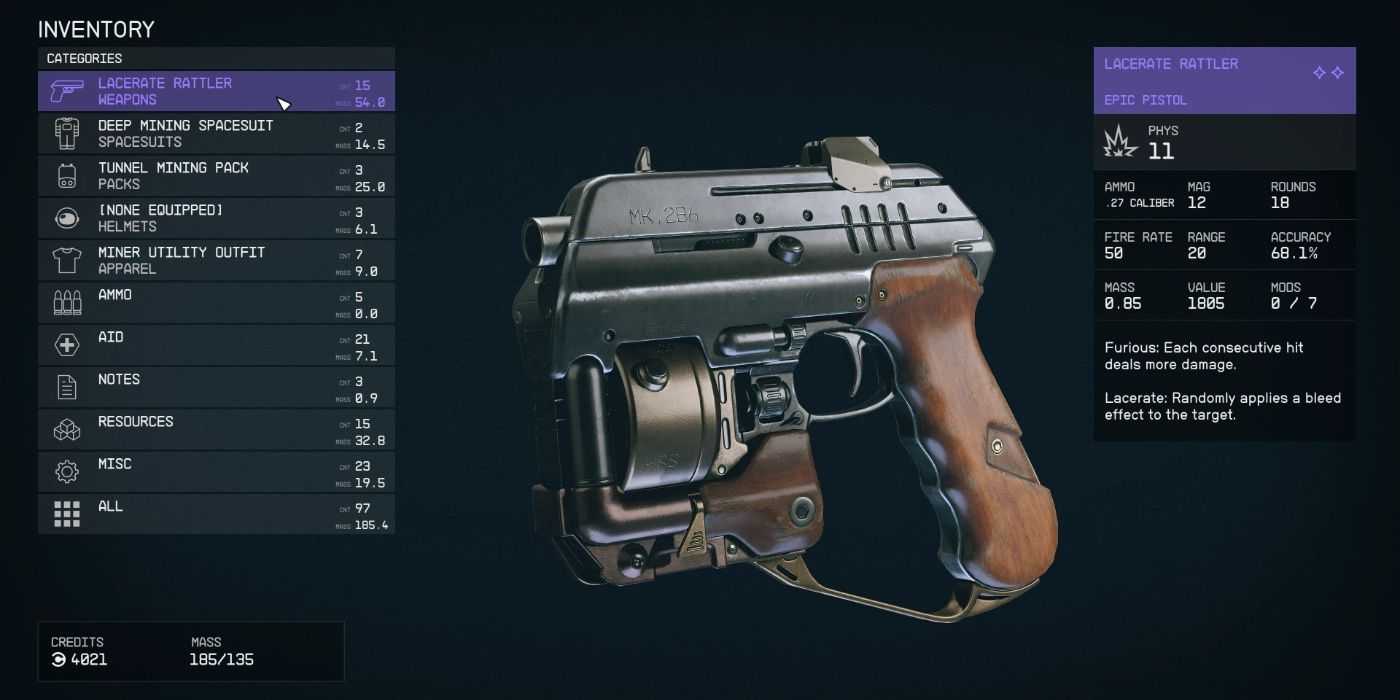
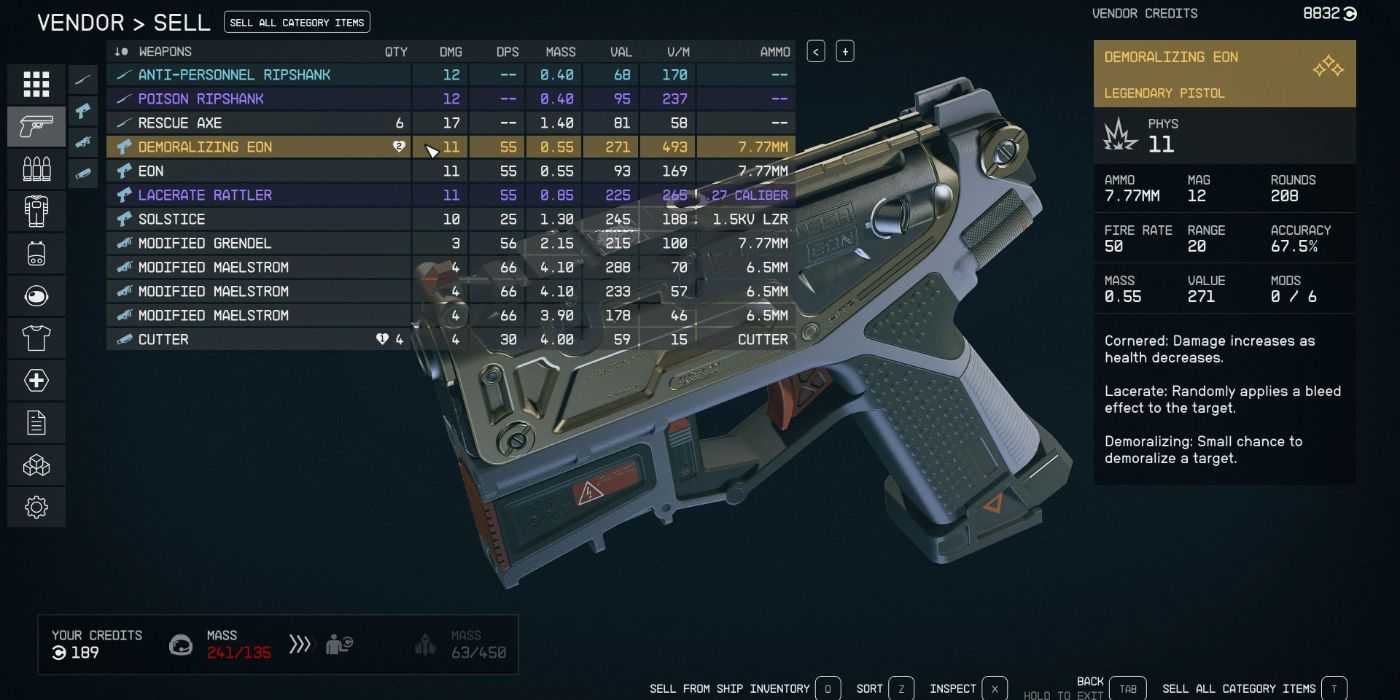
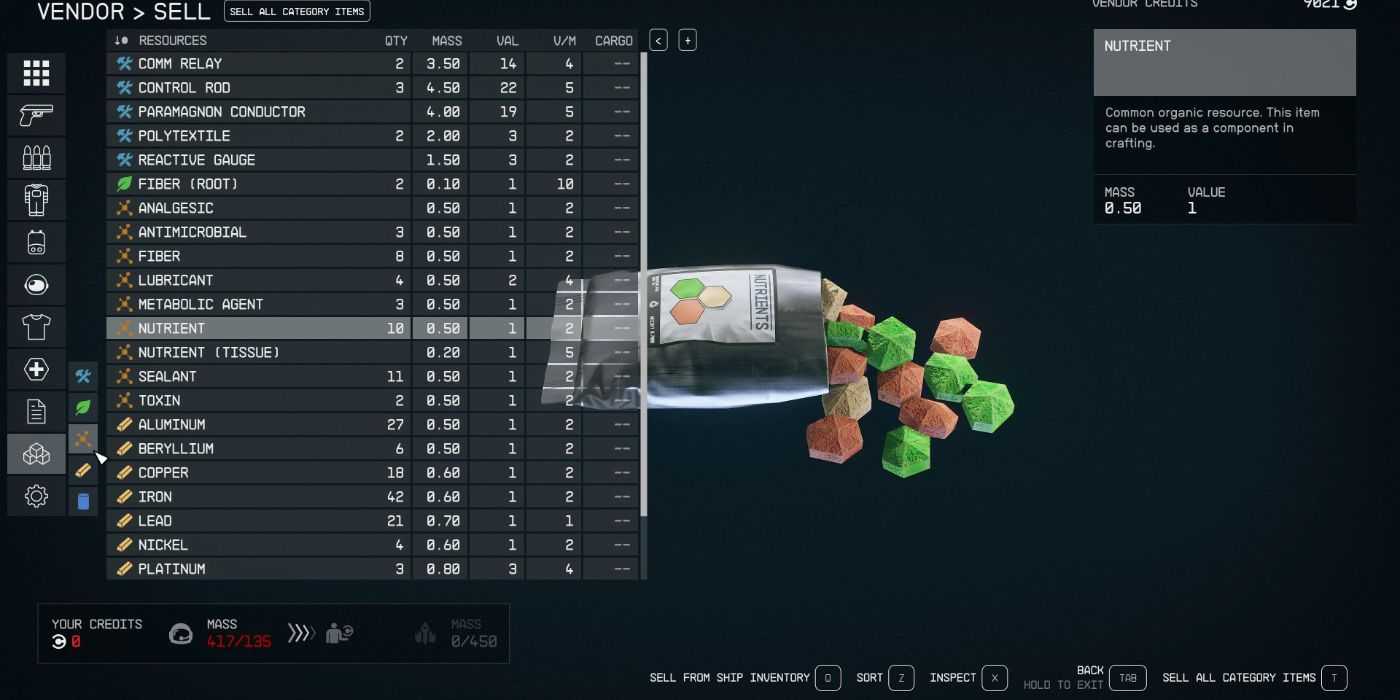
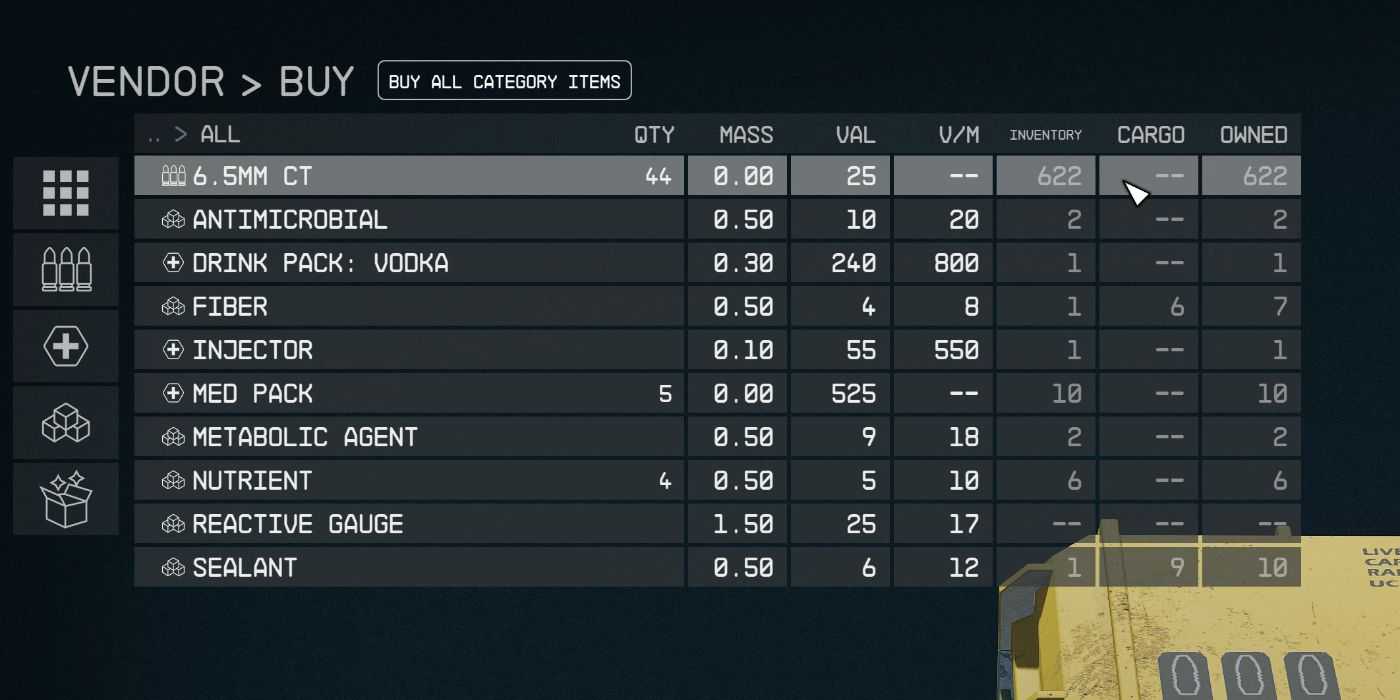
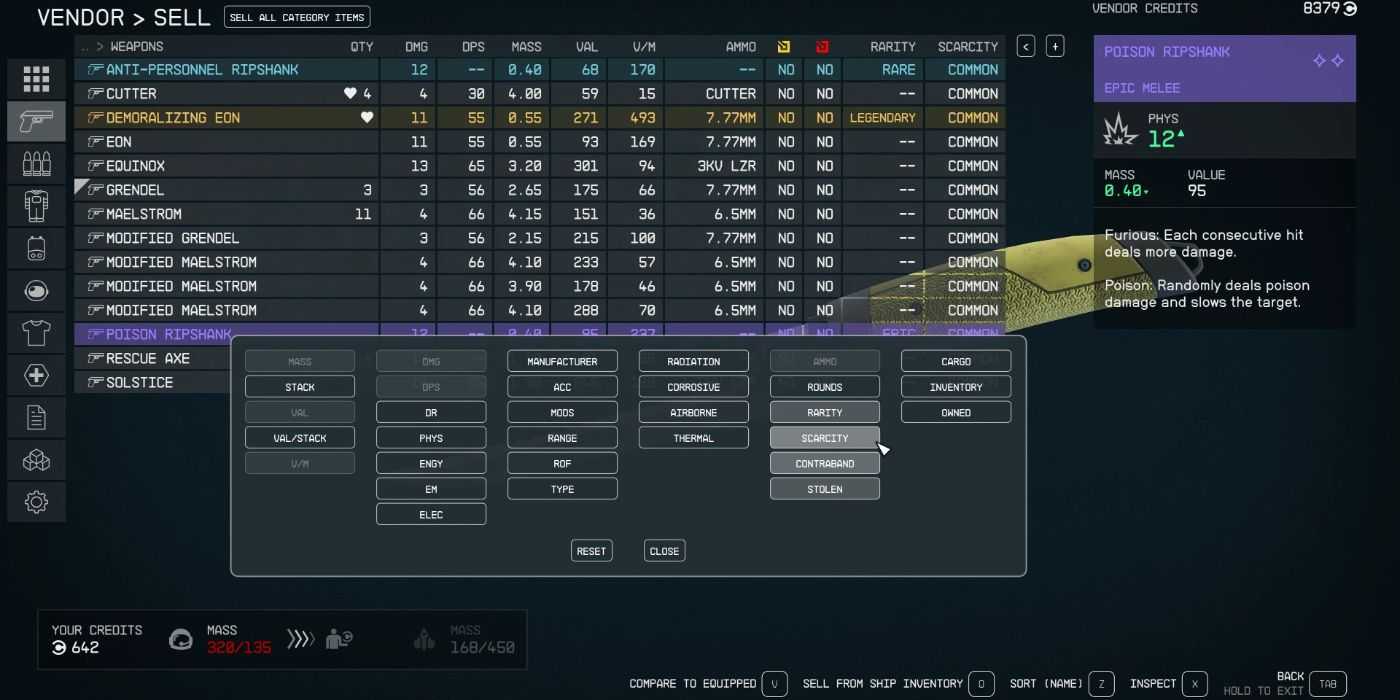
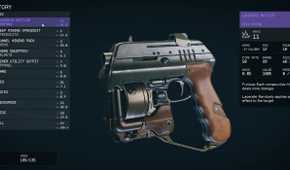
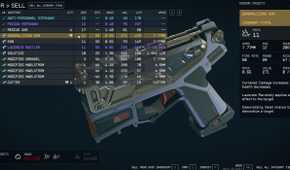
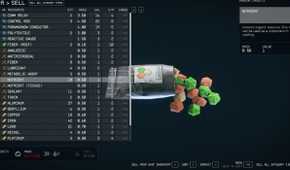
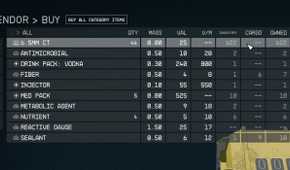
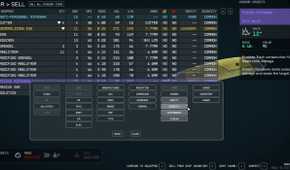
As with most games by Bethesda, unfortunately, the inventory in Starfield and its UI isn't the most efficient, often unorganized and not entirely clear to players, and lacks a lot of basic information when looking at certain items. The StarUI Inventory mod is a quality-of-life mod that improves the inventory interface, giving players all the necessary details on particular items attractively displayed on their screen.
This is especially useful when reviewing your weapons or resources, with further details in sortable columns. Having an easy-to-follow inventory allows you to quickly look for what could be causing encumberment to help you declutter or what materials are missing if you're attempting to craft something. While the new inventory is simple, it is still compact, fitting a huge amount of added information without overwhelming the eyes.
5 Easy Digipick (Lockpick)
Makes Lockpicking Mini-game Easier

Players are all too familiar with Starfield's lockpicking system, similar to that of Elder Scrolls V: Skyrim or the Fallout series. While it's ordinarily a fun challenge that players can skillfully master, it's still considered an annoying obstacle that, ultimately, players don't look forward to and simply want to get out of the way.
If you're the 'instant gratification' type, the Easy Digipick (Lockpick) mod makes lockpicking a breeze. No matter how tough the lock, players will always have two choices with a single key and two key slots. This will give you a much smoother and streamlined experience, allowing you to gain valuable items much quicker.
The mod is compatible with most mods in Starfield and can also increase the player's Security rank. This will also allow you to tackle Expert and Master locks immediately without needing to level up your skills.
For those who don't want it so easy, the modder provides an alternative version, the Immersive Digipick. This offers a far more balanced experience, decreasing overall difficulty but keeping Master locks just as challenging as they normally are. This means players can still work up to the Master Lockpick level, making their progress worthwhile.
4 Instant Scan
Reduces The Number Of Scans For A Survey

The universe of Starfield has a wide range of planets and moons that players must scan to update their map. This is all the more overwhelming when you add the amount of flora and fauna and many other scannable items that players must observe to fully survey a moon or planet in Starfield.
Not only does this take up a lot of time, but the process is extremely tedious and boring. This is where the Instant Scan mod comes into play, making your Starfield experience considerably easier. Instead, all flora and fauna in the surrounding area can be saved with just a single scan.
The mod creator also has another mod, Increased Scan Distance, which increases the range at which objects can be scanned. This mod complements the Instant Scan mod perfectly, allowing you to be quick and efficient when exploring and surveying planets in Starfield.
3 Enhanced Player Healthbar
Adds Color-Coded Healthbar


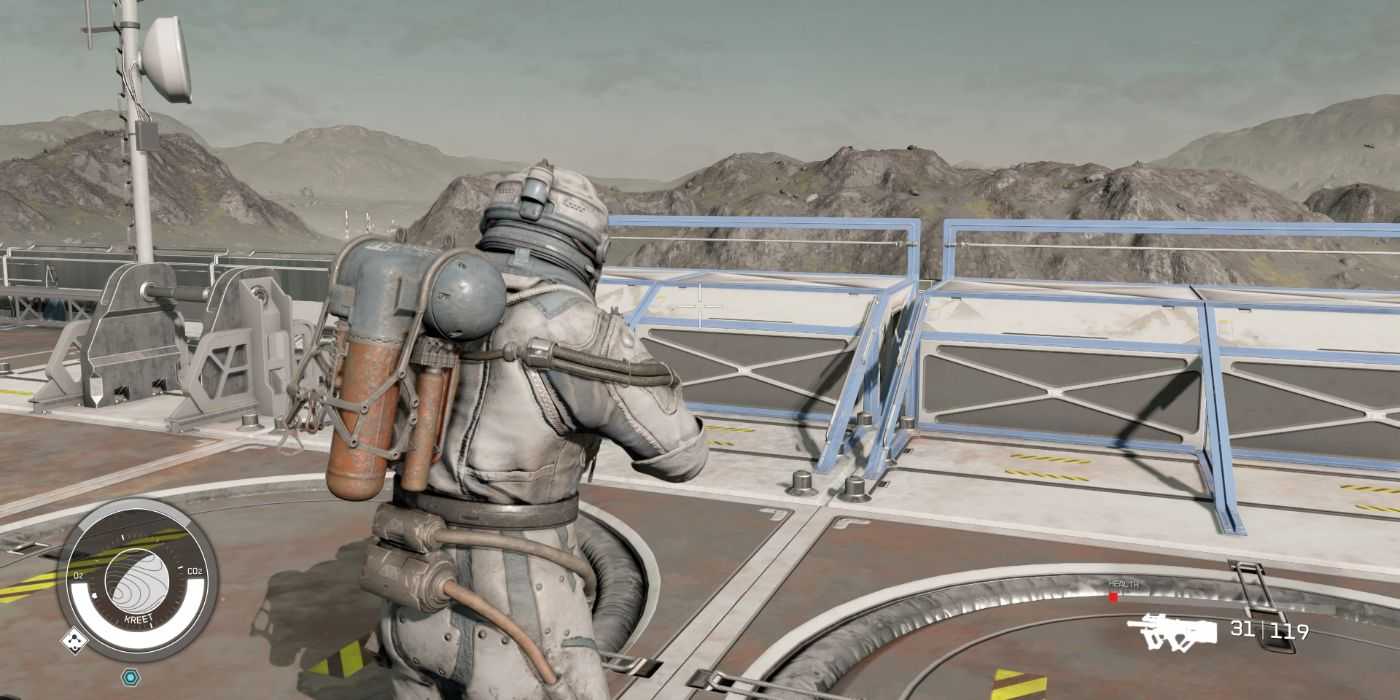
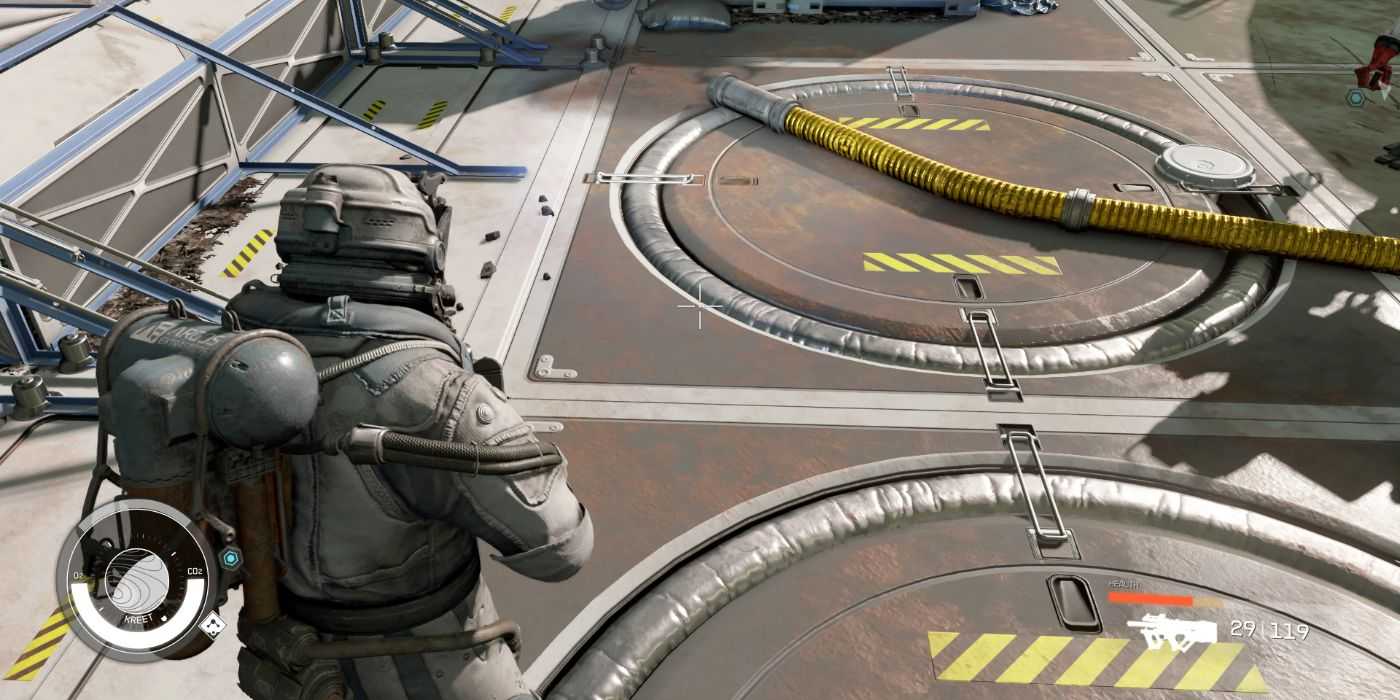
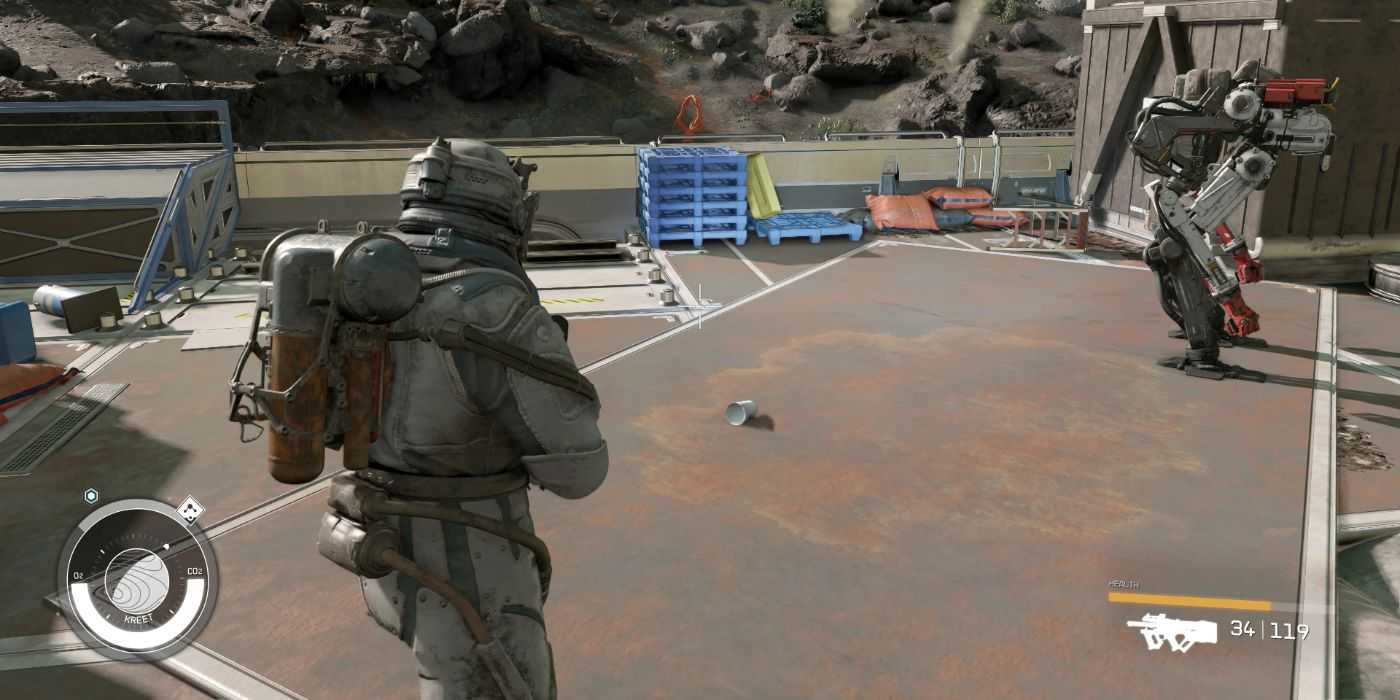
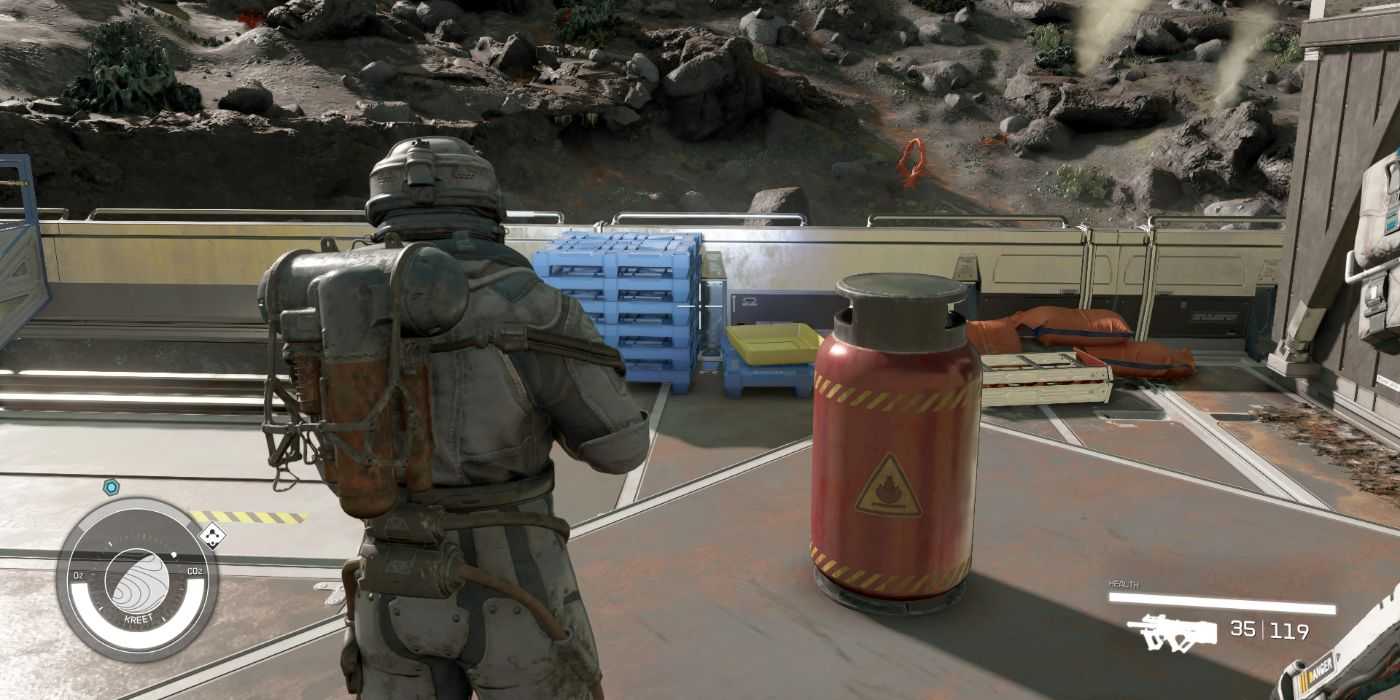
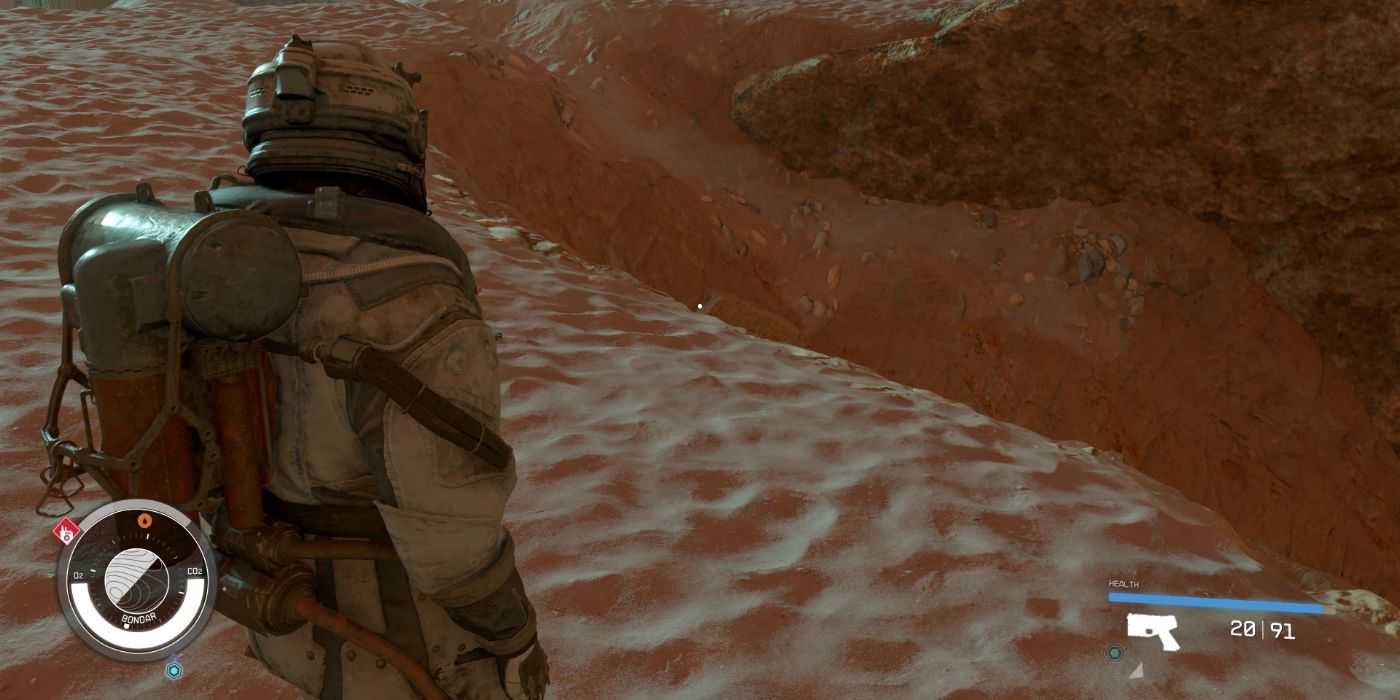
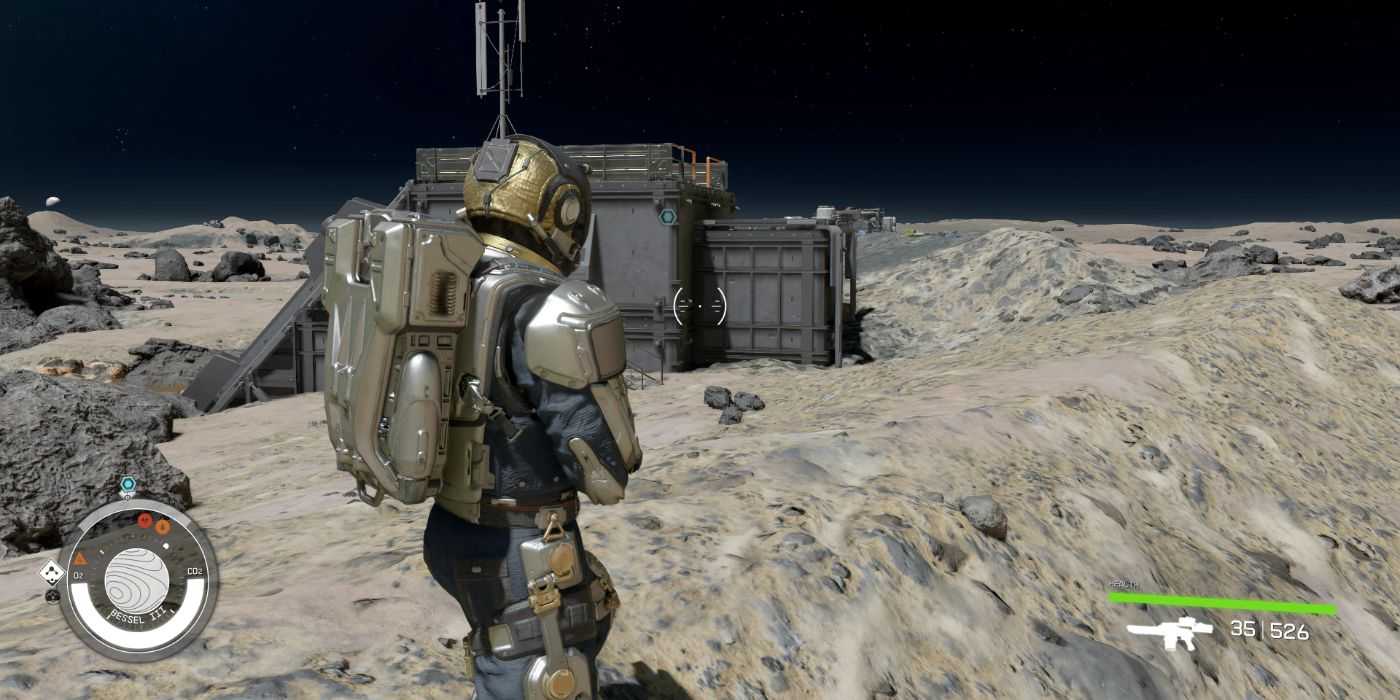
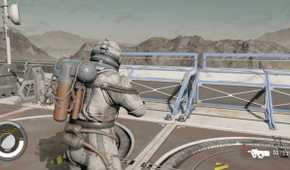
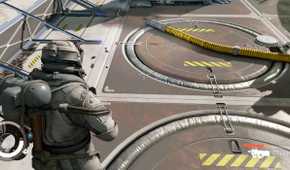
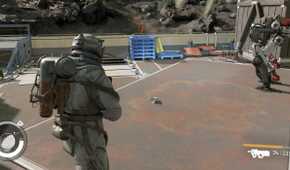
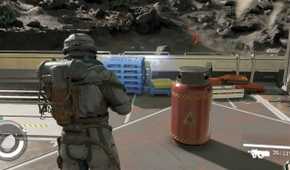
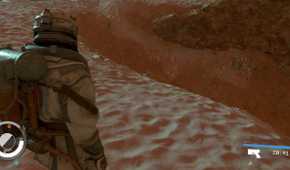
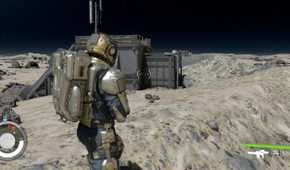
During combat in Starfield, players often perish because they're not paying attention to their health and not healing when necessary until it's too late. The Enhanced Player Healthbar is a unique mod that provides players with much more informative HP stats. With the mod active, the HP bar in the bottom-right corner of your screen will change color depending on how much health you have.
The Health bar starts off as white at 100% health and changes depending on the percentage range of your HP, which is showcased in the table below:
|
HP Stat |
Health Bar Color |
HP (%) |
|---|---|---|
|
Low HP |
Red |
0 - 25% |
|
Medium-Low HP |
Orange |
25 - 50% |
|
Medium-High HP |
Yellow |
50% - 75% |
|
High HP |
White |
75 - 100% |
Having a color-coded Health Bar is extremely helpful during intense moments in combat. It allows you to keep track and immediately notice if something is wrong simply by the bright pop of color you'll notice in the corner of your eye.
For those who may prefer a different color combination, there is an optional file in the mod with the color scheme of Green-Yellow-Orange-Red instead. Depending on what you associate with low vs. high health, this may be more informative to certain players.
2 Improved Follower Behavior
Improves NPC Follower Interactions

NPC followers in Starfield are by far the most useful yet the most frustrating features in most Bethesda games. Due to their buggy and laggy nature, many players stay clear of playing with traveling companions, which is a shame as you miss out on engaging character quests, fun interactions, relationships, and combat support in battle, which is integral to survival.
Moreover, followers provide extra inventory and firepower, features that are too important to miss out on.
Fortunately, for those interested in bringing followers along in your Starfield adventure, the Improved Follower Behavior mod fixes how NPCs behave and interact around you. The mod eliminates common issues such as NPCs lagging behind you, straying far away, or randomly opening fire, thereby exposing your position during stealth missions.
The tables below describe the typical problems players face with NPC companions in Starfield and how the mod addresses and fixes the AI:
|
NPC Follower Behavior Without Mod |
NPC Follower Behavior With Mod |
|---|---|
|
Usually, NPC followers keep a large distance of around 15m away from players before they begin to walk towards you. |
Followers now stay within 2 - 5m away from players, staying much closer while walking beside you and slightly further back while running, giving you extra space. |
|
Followers often open fire on enemies even before players have been detected, evident by the [CAUTION] warning, which can ruin your attempts at stealth. |
Followers will now only attack enemies once you have been fully detected, as evidenced by the [DANGER] warning. |
|
Followers do not change their behavior or walking patterns while sneaking. They keep a large distance from players and sandbox occasionally. |
Followers will no longer sandbox while sneaking and attempt to stay 1.5m of you, making them more reliable during stealth operations. |
|
NPC followers don't match player speed effectively, often starting and stopping behind you. This becomes a hassle when exploring planets as they frequently fall behind. |
NPC followers will now match your walking speed while close to you, with the ability to move 50% faster when they're more than 50m away. |
|
NPC Follower Behavior Without Mod |
NPC Follower Behavior With Mod |
|---|---|
|
While exploring planets, NPC followers sometimes stop following you and pull out their weapons when an alien creature gets too close. This lasts until the creature moves away or until the player performs an action in Starfield. |
The mod has disabled this behavior completely, enabling you to walk past other creatures and wildlife without worry. |
|
NPC followers may begin to sandbox and lag behind you while players walking away. |
The radius in which NPC followers loiter has been decreased from 15m to 6m. This ensures that, when walking, the game will no longer perceive you to be loitering as you walk in a straight line. This also prevents followers from sandboxing when you begin to walk away, and they won't lag behind you as much. |
|
NPC followers often fail to enter an airlock with you, which can be extremely frustrating. |
While in an airlock doorway, followers remain 1.5m away from you, ensuring they're not left behind. |
|
When players sit down, NPC followers will loiter around you before randomly sandboxing. They will also stand up in front of you while you speak to them seated. |
NPCs will attempt to find a seat nearby, use it while you sit, and remain seated during conversations with you. |
If your followers cannot find a seat near you, they will continue to sandbox, so try to find somewhere that has multiple seats. It may also take some time for the NPCs to react to you sitting down, but they eventually will respond.
1 Ship HUD Tweaks
Improves Ship Features & Performance
Although this is slightly more niche as a mod, it makes a large difference to the performance of your ship in Starfield as another quality-of-life improvement. The Ship HUD Tweaks mod includes various features that will help you take better care of your ship and notice when particular attributes need attention.
For example, the mod provides an auto-repair feature for when your ship's hull falls under a certain percentage. It also adds mouse inertia to the HUD while traversing space, allowing you to gain better control of your ship.
The table below lists the rest of the mod features that can help you better manage your aircraft:
|
Mod Features |
Description |
|---|---|
|
Show Ship Parts Count |
Displays the number of Ship Parts in Starfield you have beside the repair icon on your HUD |
|
Repair Icon Threshold |
Set the ship hull health % threshold when the repair icon appears |
|
True Shield Health |
Shows the true value of your shield health, instead of health % |
|
Mouse Inertia |
Adds inertia to HUD elements while using mouse controls |
|
Auto Repair |
Auto-repair your hull when its health falls below a certain threshold |
The mod creator has made a demo on their YouTube channel, Stentorious, showcasing the 'Before' vs 'After' with the mod in effect, particularly demonstrating the performance of the Mouse Inertia. With the addition of the mod in Starfield, the HUD inherits some of the reticle movement to help better incorporate the feeling of motion and change of direction, adding a sense of realism and effective control.
Source: Stentorious/YouTube


 OpenCritic Reviews





- Platform(s)
- Xbox Series X, Xbox Series S, PC, PlayStation 5
- File Size Xbox Series
- 149.86 GB
- Metascore
- 86

