


The Nintendo Switch 2 console has systems in place that allow you to transfer data from your original Switch, including save files for games, digital software, screenshots, videos, and more. Many of the Switch 2's features are backward-compatible with the first Switch, creating a strong compatibility between the two handheld devices. With two distinct ways to share data, you have multiple options to transfer content.
After you download the Day 1 update for the Switch 2, you can start getting data from your previous Switch without issue. One of the biggest benefits from data transfer is the ability to download digital games you owned on the original Switch. Doing this carries over your save data, giving you a way to play where you left off with the hardware upgrades that come with the Switch 2.
How Switch 2 Wireless System Transfer Works
Have Both Consoles Close To One Another For Sharing Data


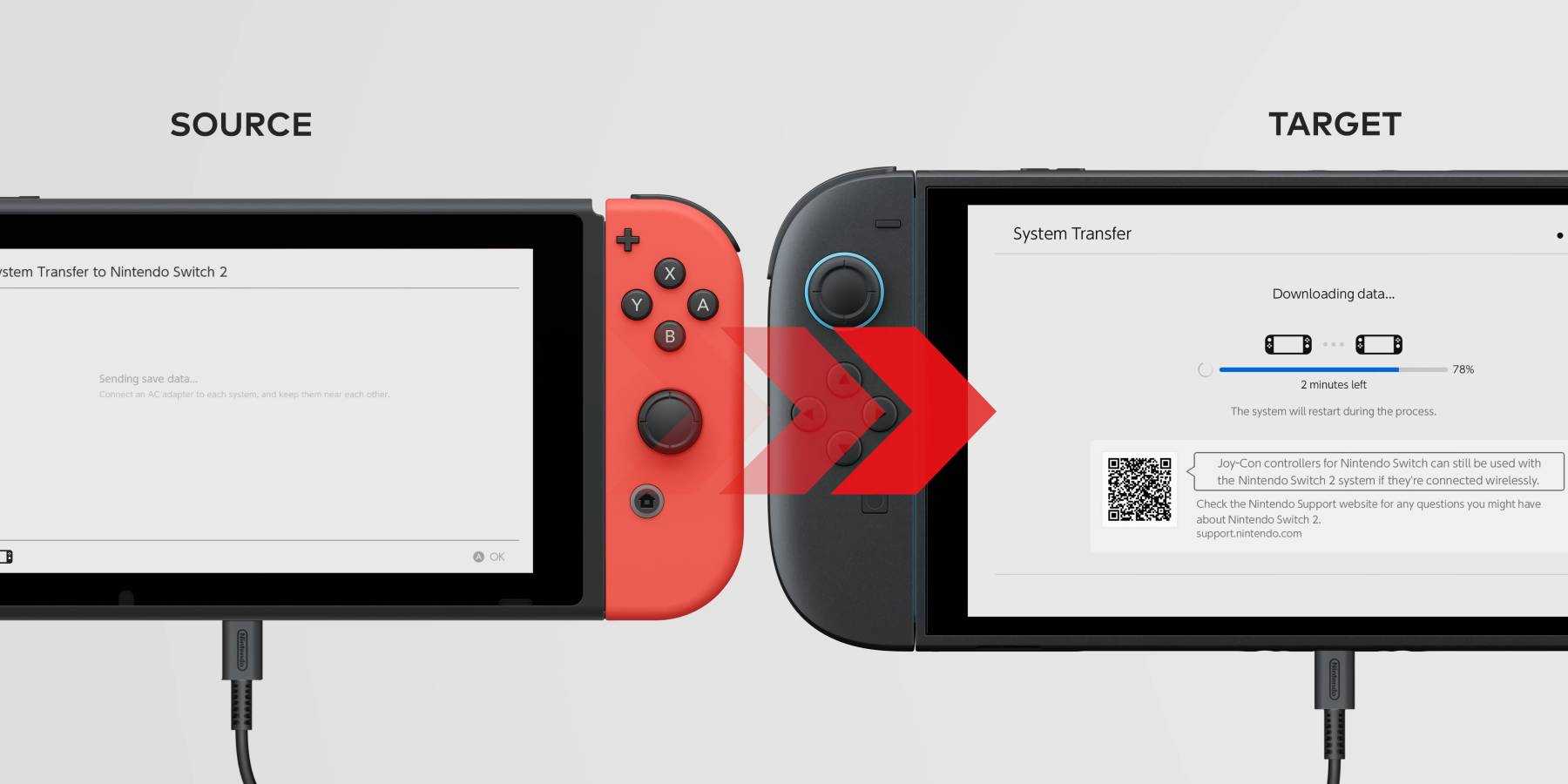
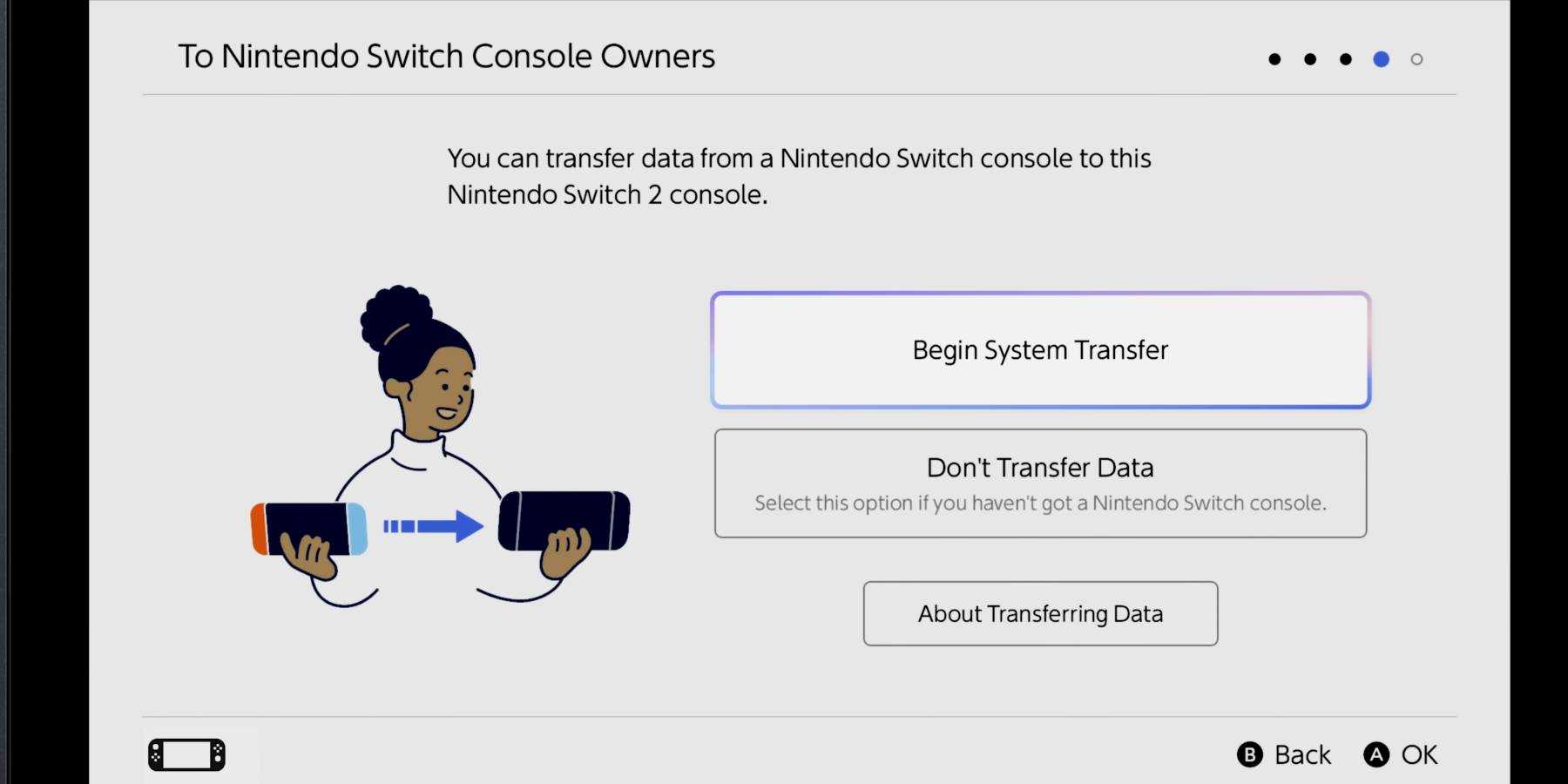
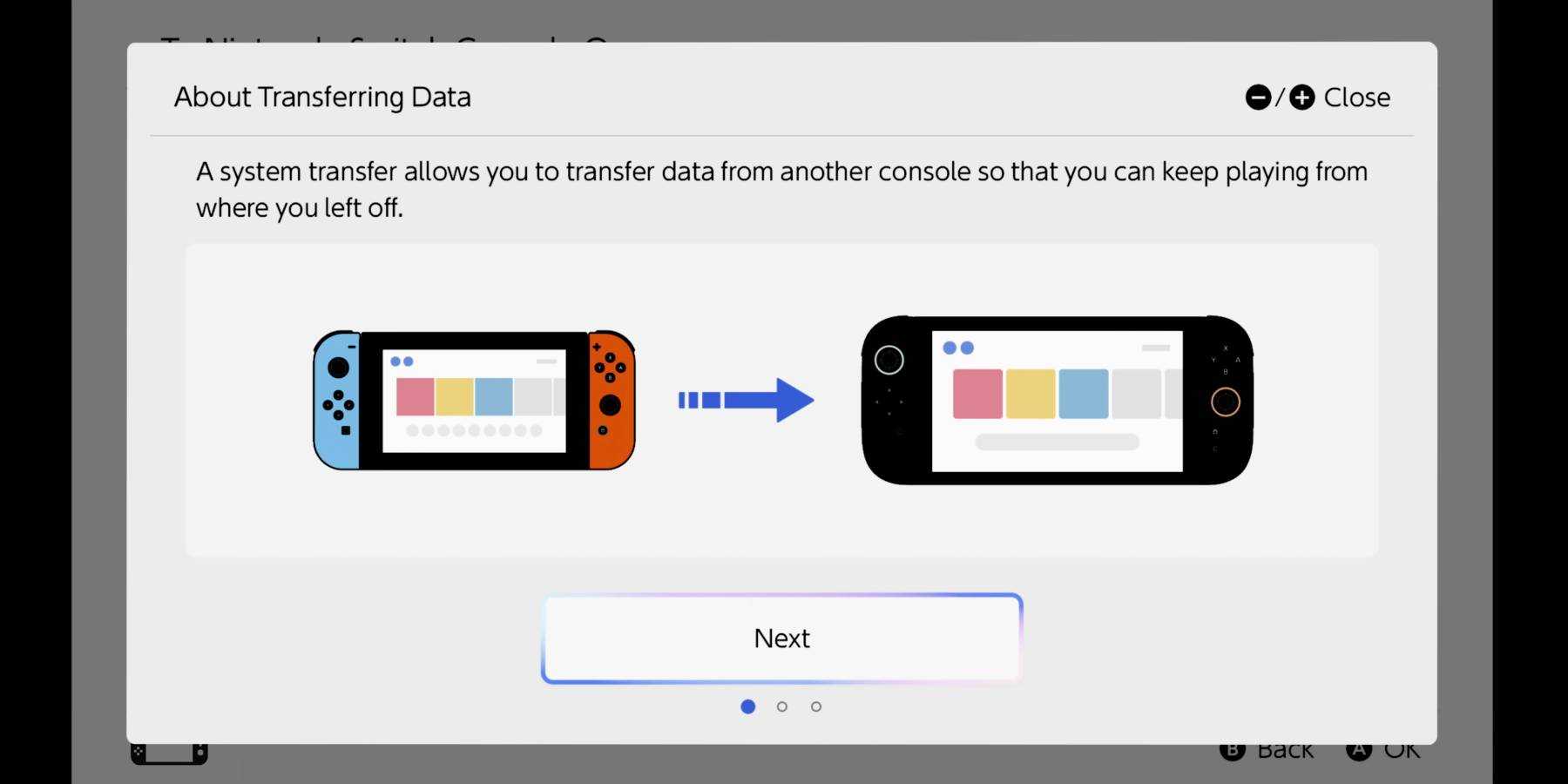
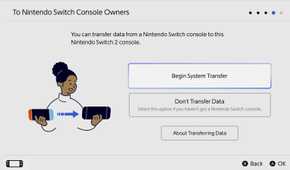
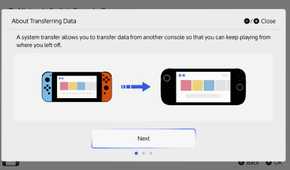
One method used for transferring data is to have both your Switch and Switch 2 consoles close together to initiate a wireless system transfer. Through the settings of the Switch 2, there is an option to do a full "System Transfer" once you have both consoles set up and ready. This process takes around 10 minutes to complete, but you need to have both handheld devices in proximity and activated to make this work.
The "System Transfer" shows up as you are setting up your Switch 2, after you enter basic information like your region, wifi, and any software updates. Press "Start System Transfer" to begin sharing data, but only do this once you have both your Switch 2 and Switch plugged into a power source. This prevents them from dying from a lack of battery power, which could cause you to lose enormous amounts of data.
Anyone with a microSD on their original Switch can simply transfer it to their Switch 2 during the "System Transfer" phase to move all their data. This is mainly used to transfer screenshots and video captures by manually ejecting the microSD from your Switch before plugging it into your Switch 2.
Once you have your two Switch consoles set up, follow these steps to transfer data wirelessly between both systems:
- Log into your Nintendo Account on your Switch 2 (this can be done by manually entering information or using the QR code provided).
- Keep both your Switch and Switch 2 consoles near each other.
- Go into the "Settings" menu from your original Switch by selecting the gear icon.
- Scroll down to "System" at the bottom of the Settings menu.
- Scroll down again to the "System Transfer to Nintendo Switch 2" at the bottom of the next menu.
- Confirm the option to bring up a list of game save data.
- Select which content you want to transfer to your Switch 2.
Some save profiles that you transfer to your Switch 2 will be deleted from your original Switch, so choose what you want to move carefully. Most data will be moved through local communication, but you won't see it until you restart your Switch 2 after the transfer. When doing the System Transfer, the console will warn you which games will be removed from the Switch for the Switch 2, which you must acknowledge to complete the process.
How Uploading Switch System Data Works
Use Secure Servers To Transfer Data

If you don't have your original Switch console near you for a wireless transfer, there is another method you can use to share its data. You have the option to upload Switch data into a dedicated server for safe keeping, transferring your data to be downloaded later. This process causes your original Switch to be "initialized," or factory reset while all other data is deleted.
This option carries some risk, as anything you don't upload into a server will be removed permanently when your Switch resets. Similar to the wireless transfer, you still need an Internet Connection and access to your Nintendo Account to follow this process. Thankfully, you don't need to purchase Switch Online for the Switch 2 to make this type of transfer possible.
Once you transfer your Switch system data through an upload onto a server, you have one year to move that information to your Switch 2 console. You will be given a "Deadline Date" to help you remember what timeframe you have to complete the process.
When your data is on an online server, you can transfer its contents to your Switch 2 whenever you choose within a certain time window. On the other hand, you can choose to cancel the transfer at any point, returning the data to your Switch. This can be a good way to store information prior to a wireless transfer, especially if you are struggling to find where you put your Switch in the first place.
Everything That Carries Over To Switch 2
Move Over Account Profiles And Important Game Data

A variety of data gets transferred from the Switch to your Switch 2, not just the save data of games. Once you use any System Transfer feature, here's what you can move from one console to the other:
- (Secondary) User Profiles
- Purchased Digital Games
- Game Save Data (with compatible games only)
- Screenshots
- Videos
- Parental Controls
When you transfer digital games onto the Switch 2 from your original Switch, they must be re-downloaded before you can start playing them.
Compatible games, both physical and digital, can have their save data completely moved from the previous console to its sequel. However, some select Switch games can be upgraded to their Switch 2 versions once transferred. Some games have image quality, smoother framerates, or additional features and modes on the Switch 2, but you have to pay for upgrade packs to transform your moved content into their upgraded versions.
Existing Nintendo Switch Online memberships carry over onto your Switch 2, bringing the new GameChat feature with it for the new console. Parental Controls from the smart device app work very similarly to how it worked on the original Switch, allowing you to check a child's playtime, who they chat with, etc. New settings on the Switch 2 give you more settings for Parental Controls to guide your child's experience further.
Compatible games also still work with the original Switch Joy Cons and Pro Controllers, giving you ways to still use existing controllers for your favorite titles. You don't need to transfer data to your Nintendo Switch 2 console to make some older controllers work for Switch 2 games as well, making the new console's library even easier to explore.

- Brand
- Nintendo
- Operating System
- Proprietary
- Storage
- 256GB internal / MicroSD
- Resolution
- 1080p (handheld) / 4K (docked)
- App Store
- Nintendo eShop
- Wi-Fi
- Yes
